Visual Reasoning AI for Streaming
Written by Paul Richards on February 16, 2026
How AI Vision Is About to Change Everything About Your Live Stream
You already have the most important piece of equipment. You just don’t know what it can do yet.
Your camera sees everything that happens during your stream. Right now, all of that visual information goes in one direction — out to your viewers. Your production software has no idea what’s actually happening in the shot. That’s about to change.
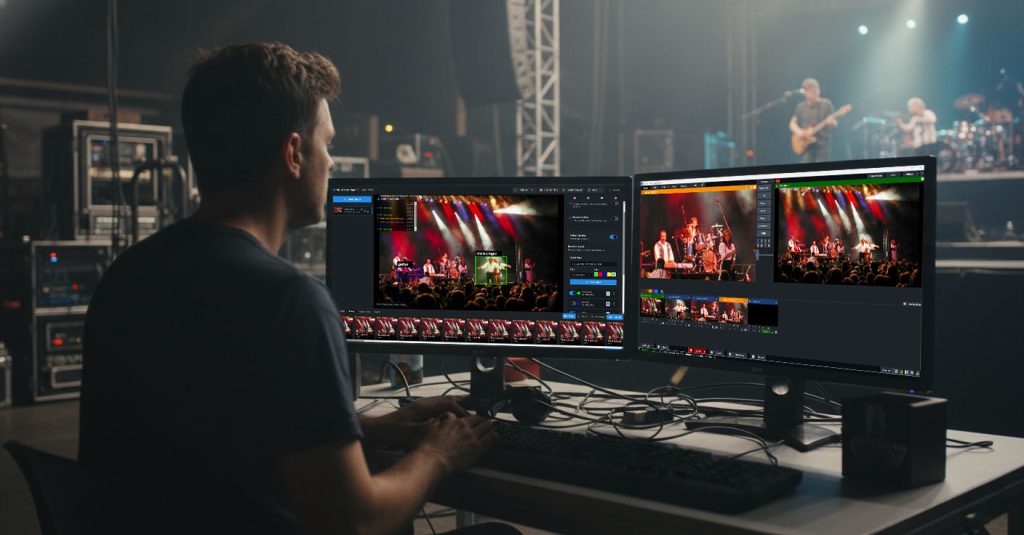
Visual Reasoning Broadcast Event
Your Camera Can Now Understand What It Sees
Vision Language Models (VLMs) are a new category of AI that takes an image and a text prompt and returns intelligent answers. You can ask it anything:
- “Is there a person at the desk?”
- “What gesture is the presenter making?”
- “How many people are on the couch?”
- “Read the text on that whiteboard”
It answers in real time, from your existing camera. If you’ve used ChatGPT with an image attached, you’ve already experienced this. Now imagine that same capability running continuously on your live camera feed, making decisions about your production as it goes.What This Actually Looks Like for Streamers
Here are some real scenarios and working tools available in the Visual Reasoning Playground:
- Hands-Free Scene Switching: Use simple gestures like a thumbs-up to switch scenes, an open palm to start recording, or a thumbs-down to return to a wide shot. The Gesture OBS Control tool detects the gesture and sends commands to OBS.
- Auto-Tracking Without Auto-Tracking Cameras: Type what you want to track (e.g., “Red coffee mug,” “Person standing,” “Guitar”), and the camera will follow it by sending pan/tilt commands. This works with PTZOptics and any PTZ camera with HTTP control.
- Smart Viewer Counts and Analytics: The Smart Counter tool lets you draw a virtual line to count objects (people) crossing it in either direction, providing real-time occupancy numbers.
- Voice-Controlled Production: Use trigger phrases like “Camera one,” “Wide shot,” or “Start recording.” The Voice Triggers tool runs OpenAI’s Whisper speech-to-text model entirely inside your browser for hands-free workflow improvement.
- AI Scene Descriptions for Accessibility: The Scene Describer continuously narrates what your camera sees (e.g., “Two people seated at a table with microphones. A laptop and coffee cups visible…”). This is useful for visually impaired viewers and for creating a timestamped text record for logging.
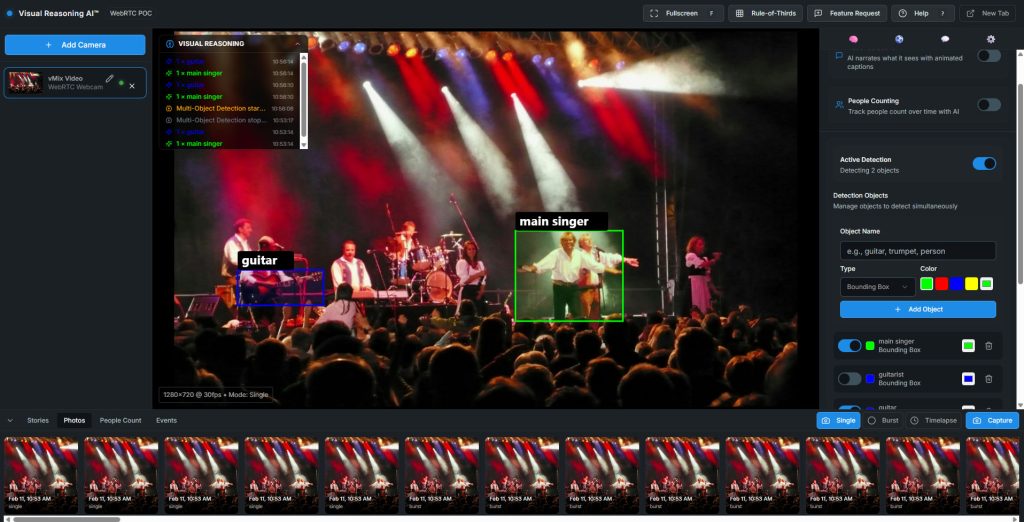
Visual Reasoning – Broadcast Event
The Practical Details
All of this is powered by Moondream, a vision language model built for real-time applications.
What you need to get started:
- A webcam (you already have one)
- A Moondream API key (free tier available)
- A browser (Chrome recommended)
- OBS Studio if you want production integration
What you don’t need:
- Programming experience
- A GPU
- New cameras
- A separate computer
- Any paid software
The tools run on GitHub Pages. You can be using AI vision in your stream within 60 seconds.Will This Slow Down My Stream?
The tools capture a frame (typically once or twice per second) and send it to Moondream’s API. The response comes back in about 200 milliseconds. The AI processing happens in the cloud, and your streaming PC’s job is just to send a JPEG and receive a JSON response, which a five-year-old laptop can handle.
For voice triggers, Whisper runs in-browser using WebGPU, with very low load, as it only transcribes 5-second audio chunks.Where Streaming Is Headed
AI vision changes the math for solo streamers by handling the mechanical parts of production so you can focus on the creative parts. The camera follows you because it can see you, and the scene switches because the AI recognized your gesture. These tools exist now, they’re free, and they run in a browser tab.—–Get Started
- Try the tools now: streamgeeks.github.io/visual-reasoning-playground
- Explore the source code: github.com/streamgeeks/visual-reasoning-playground
- Go deeper with the book: Visual Reasoning AI for Broadcast and ProAV
—–Paul Richards is CRO at PTZOptics and Chief Streaming Officer at StreamGeeks. This is his 11th book on audiovisual and streaming technology. The Visual Reasoning Playground is open source under the MIT license.